

Methodox Office 0.5 for Windows

The best platform to create smart documents.

Documents, spreadsheets and slides that fetch their own data, compute their own figures and stay up to date.

  • Opens Word, Excel and PowerPoint files as they are
  • Scripts in Lua, C#, Python and SQL, or drawn as graphs
  • Runs no code until you allow it
Smart documents

A document that knows where its numbers come from.

Put the data and the logic in the file. Refresh it, or change a parameter, and every figure follows. The file is still a .docx, .xlsx or .pptx.

Data Sources

Live tables from your data, without code.

A Data Source is a query kept in the document. It reads a web API, a SQLite file or an ODBC database. It always returns a table.

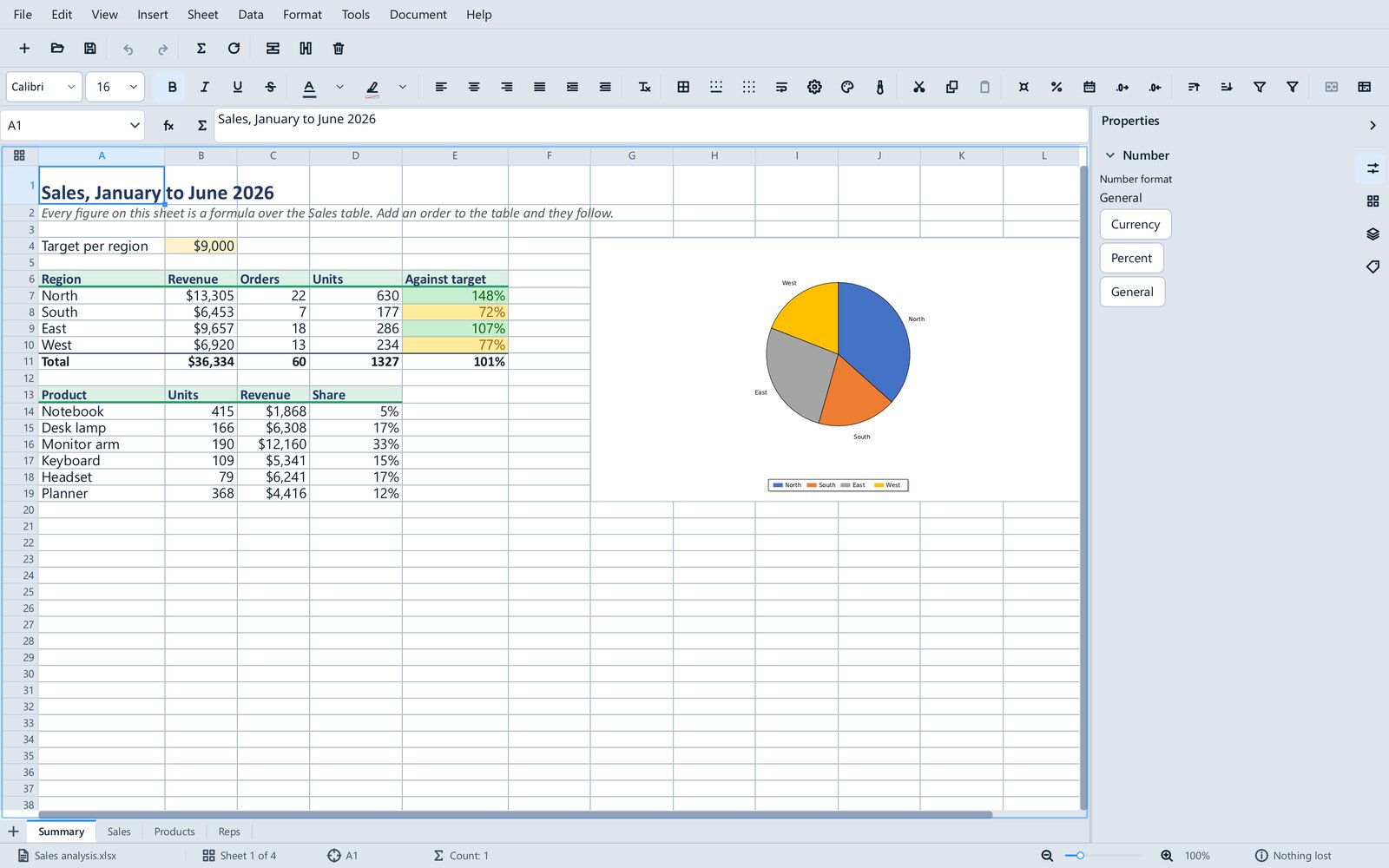
  • In Formula, it spills into the grid with =DATASOURCE("Sales").
  • In Impulse and Expo, it becomes a smart table.
  • Each column keeps its formatting, refresh after refresh.
  • Passwords stay in Windows Credential Manager, never in the file.
Data Sources
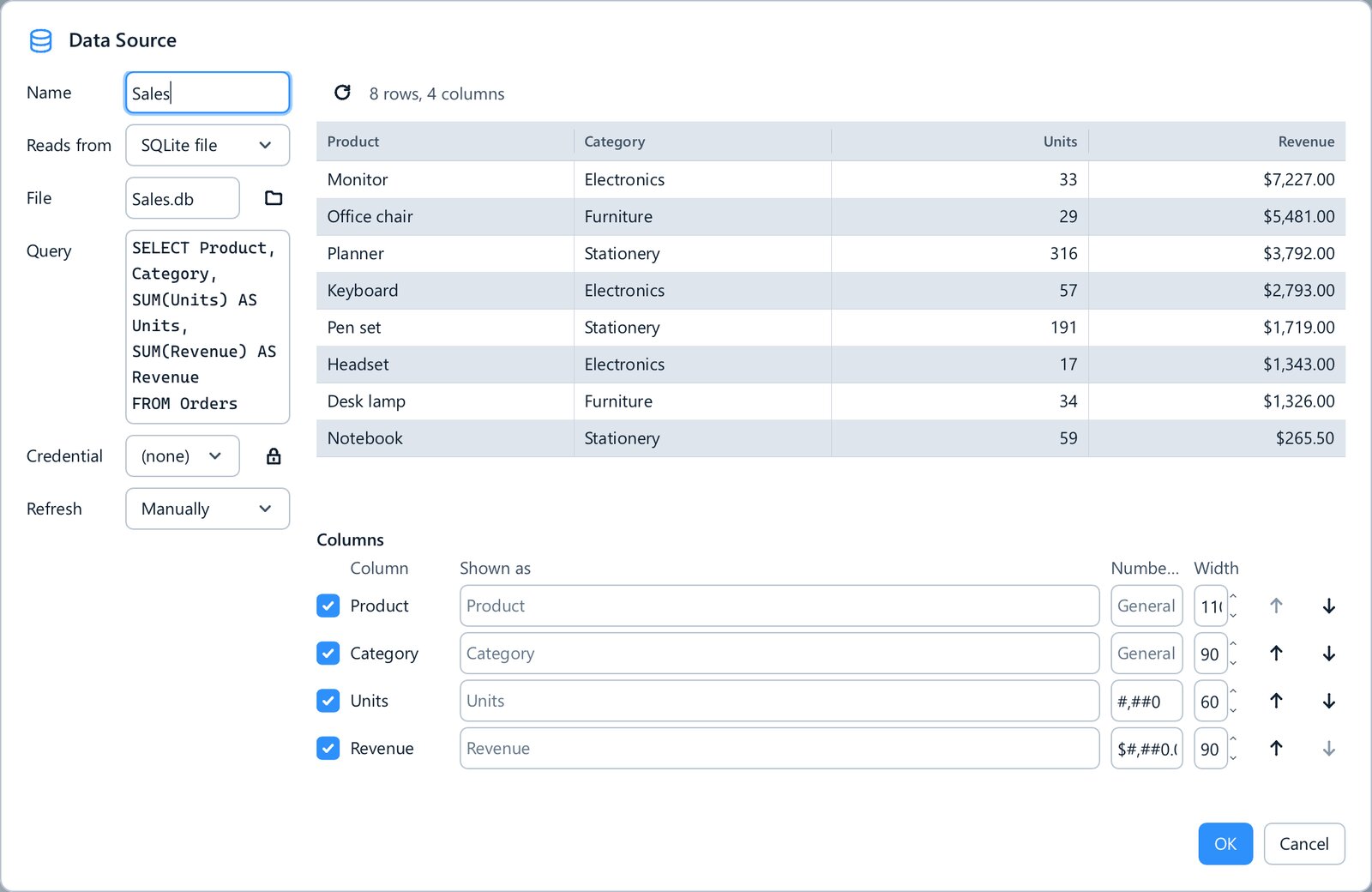
The Data Source editor in Formula: a query over Sales.db that reads the Region parameter, its eight rows previewed beside it, and each column's name, number format and width.
Smart Objects

Text, tables and pictures that update themselves.

In Impulse and Expo, a span of text, a table or a picture can take its content from somewhere else. That can be a workbook cell, an expression in Lua, C# or Python, a Divooka graph (a program you draw instead of write), or a Data Source.

  • Refresh All updates them all as one step in Undo.
  • The Smart Objects tab lists each one and when it last refreshed.
  • Opened in Word or PowerPoint, they show their last values.
Smart Objects
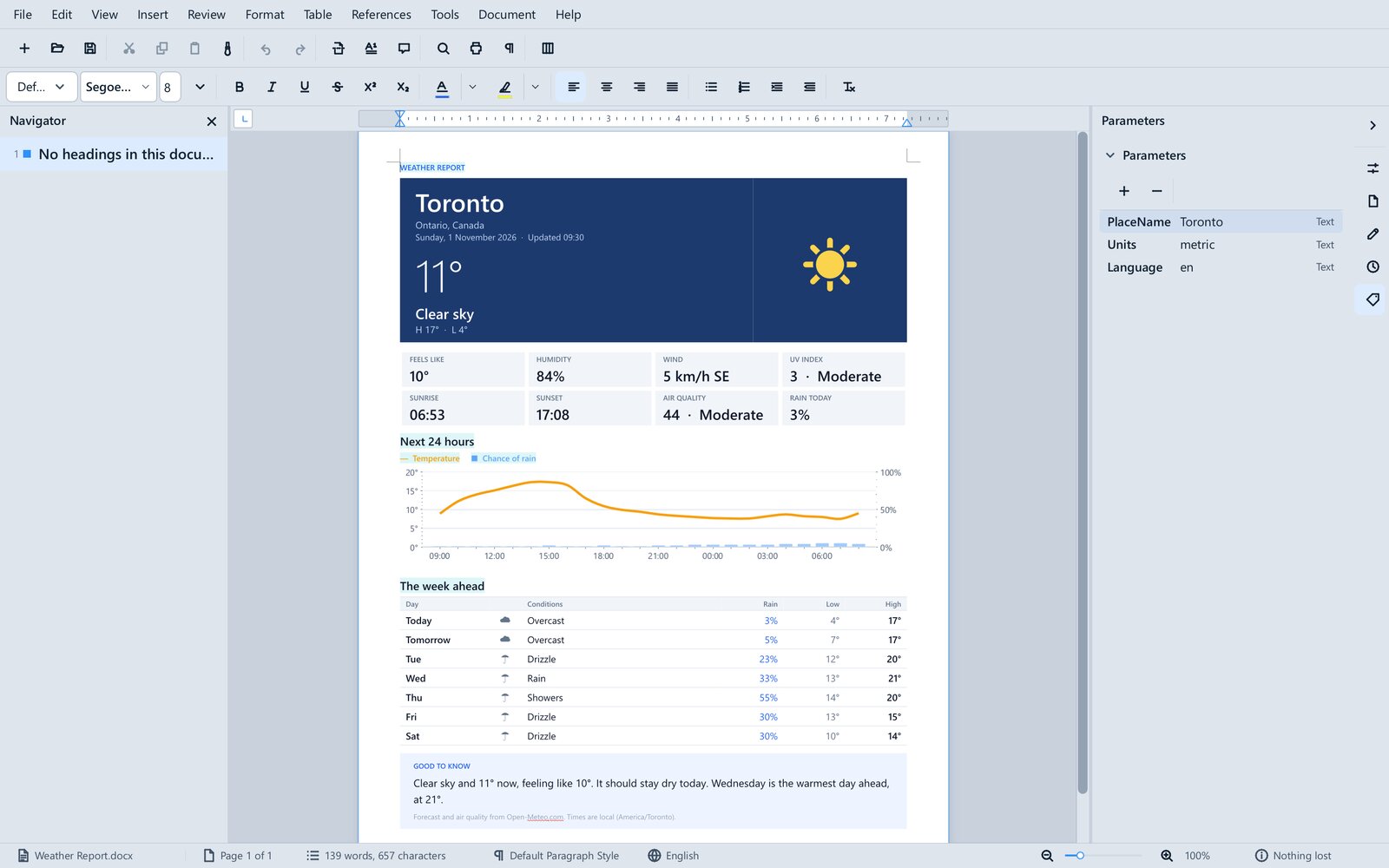
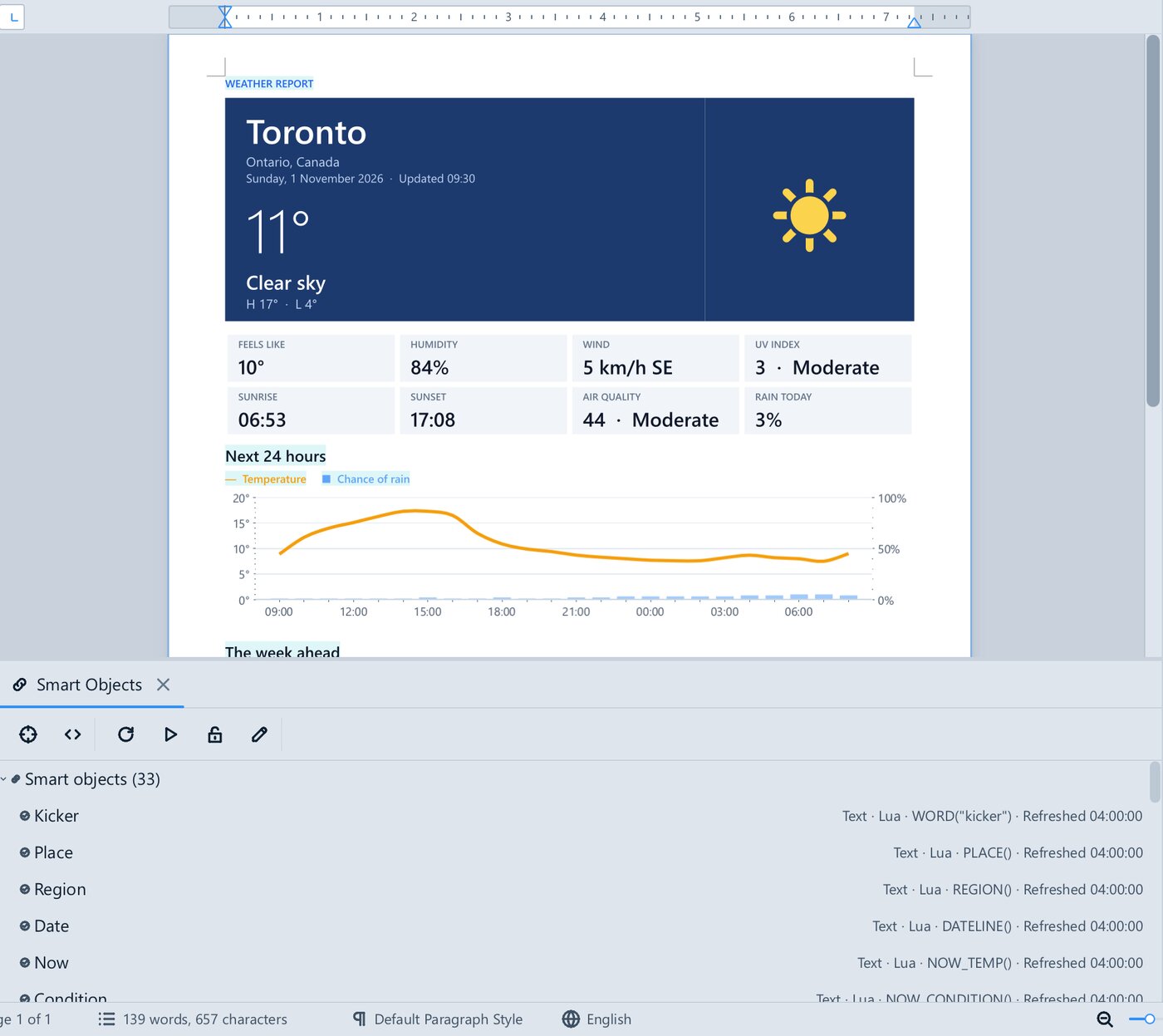
The Weather Report in Impulse, a page made of 33 smart objects, with the Smart Objects tab listing each one, its Lua source and when it refreshed.
Document Parameters

One place for the values that matter.

Parameters are named values stored in the document: a region, a rate, a city. You edit them in the sidebar.

  • A formula reads one with =PARAM("Region"). Scripts, graphs and Data Sources read them too.
  • Change a parameter, and everything that reads it recalculates, and nothing else.
  • Formulas and smart objects only read them. Only you, or a Command, can change them.
Document Parameters
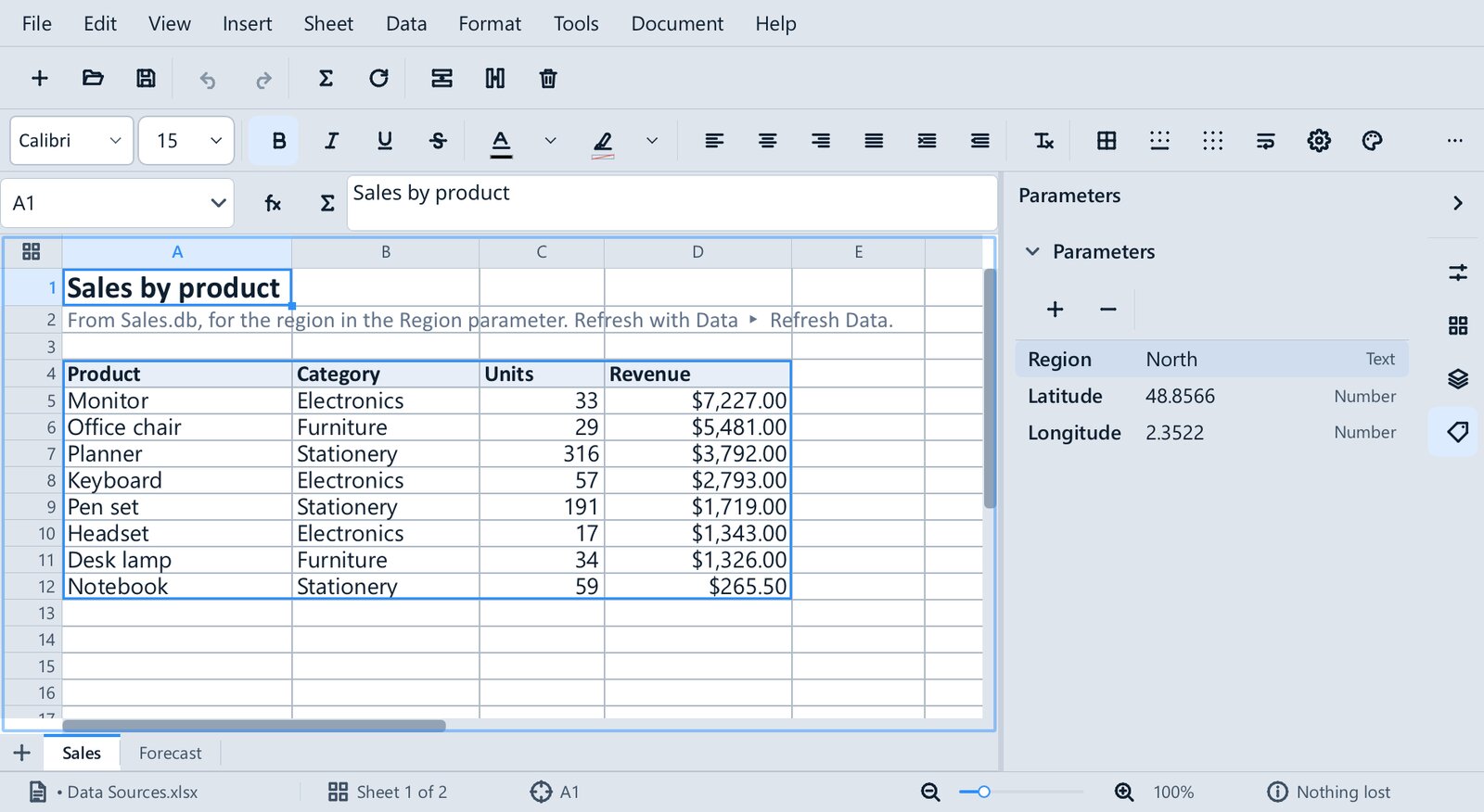
Formula with the Parameters panel in the sidebar. Region is North, and the Sales table beside it shows that region's products.
Expressions

Your own functions in Lua, C#, Python and SQL.

Write a function once in the workbook. Then call it from any cell, like a built-in one.

=LUA.TAX(B2) =CS.SUMSQ(A1:A10) =PY.TAX(B2) =DVK.LOANPAYMENT(B1, B2, B3)
  • SQL.VIEW keeps a query's results live in the grid.
  • The SQL Workbench lets you query every table, named range and sheet in the workbook.
  • Plus 463 built-in functions.
Worksheet functions
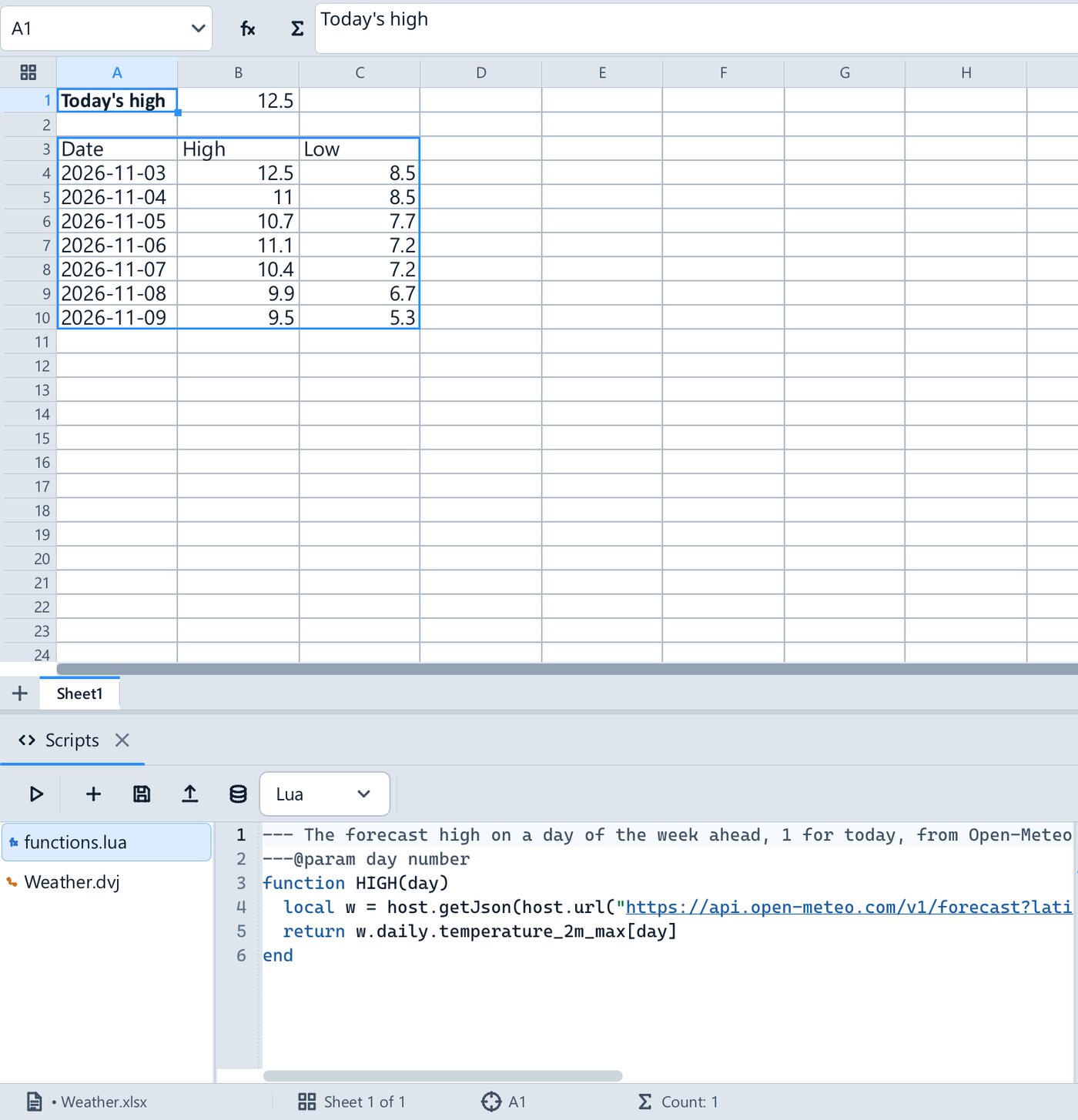
A workbook's functions.lua in the Scripts pane. Its HIGH function fetches the forecast high, and the sheet above shows the week's highs and lows.
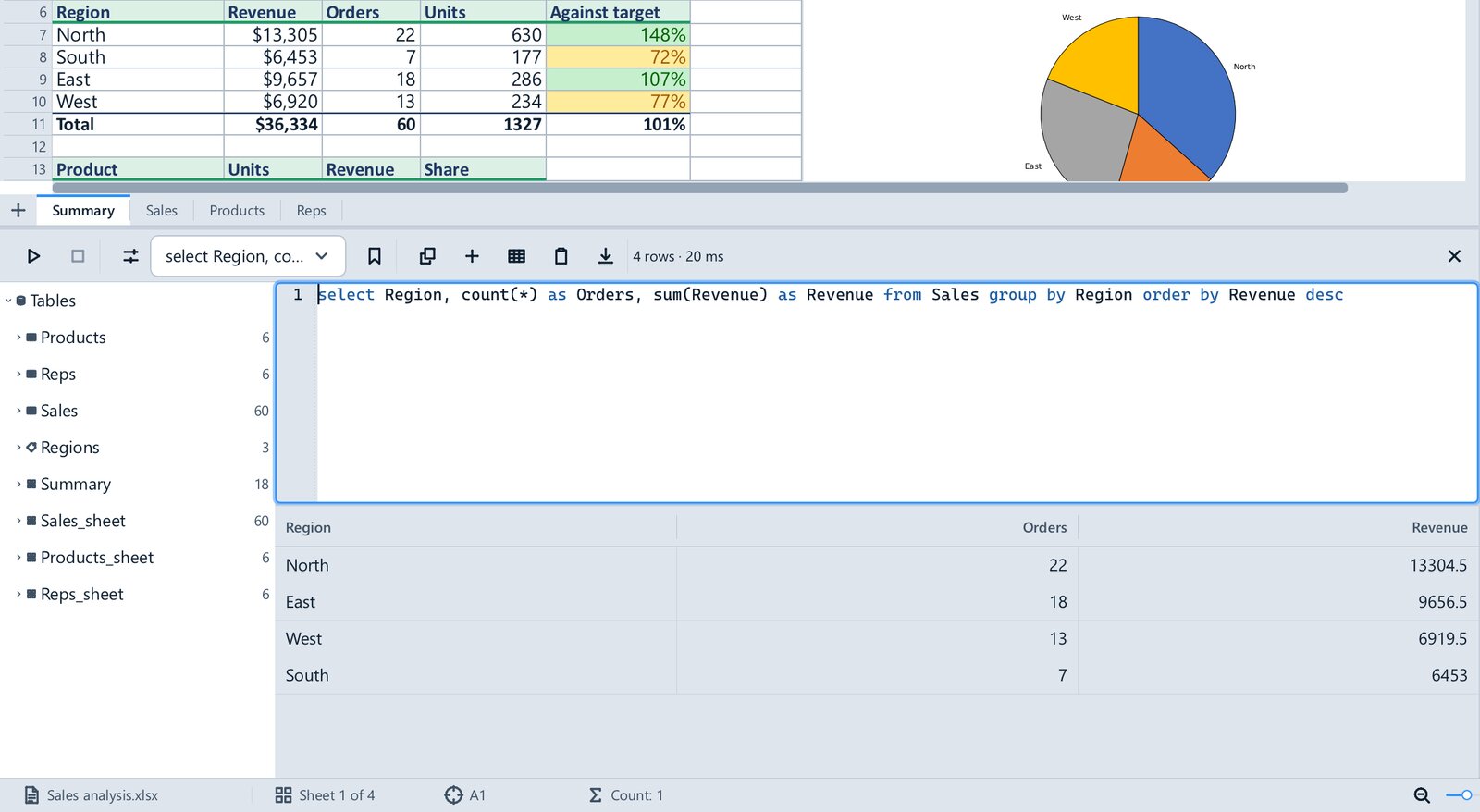
The SQL Workbench in Formula: a query grouping the Sales table by region, with its four rows below.
Event automation

Automation that runs when something happens.

An event handler runs when the document is opened or saved, when a range or a parameter changes, when smart objects refresh, or when a slide show starts, advances or ends.

  • Handlers are Divooka graphs, drawn in the graph editor.
  • Each run is one step in Undo.
  • A handler's own changes don't trigger it again.
Event handlers
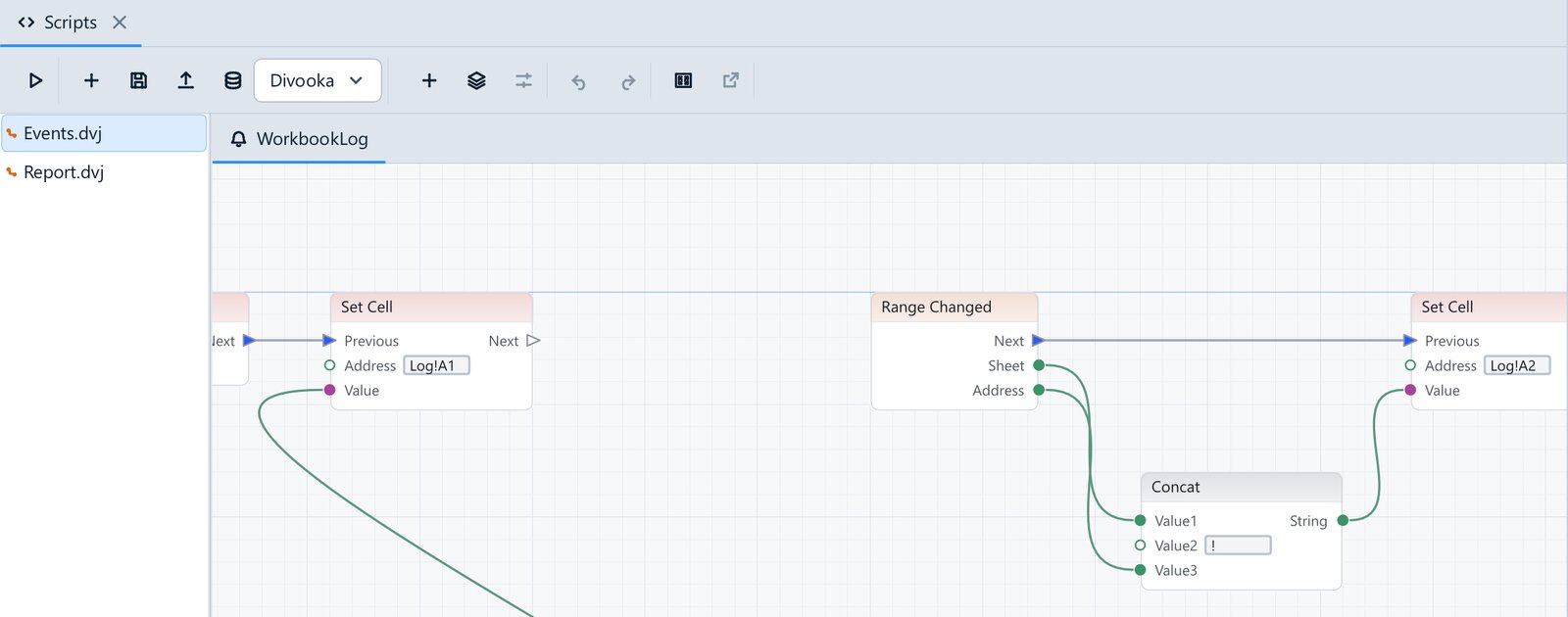
An events graph in the graph editor. When a range changes, it combines the sheet name and cell address and writes them to a Log sheet.
Commands

Your own actions, run when you choose.

A Command is an action you write once and run when you need it: from the Scripts pane, a menu or the command line.

  • Write it in Lua, C# or Python, or draw it as a Divooka graph.
  • Everything it changes is one step in Undo.
  • If it fails, everything it changed is rolled back.
  • The mos command-line tool runs a script on a document without opening a window.
Scripts and Commands
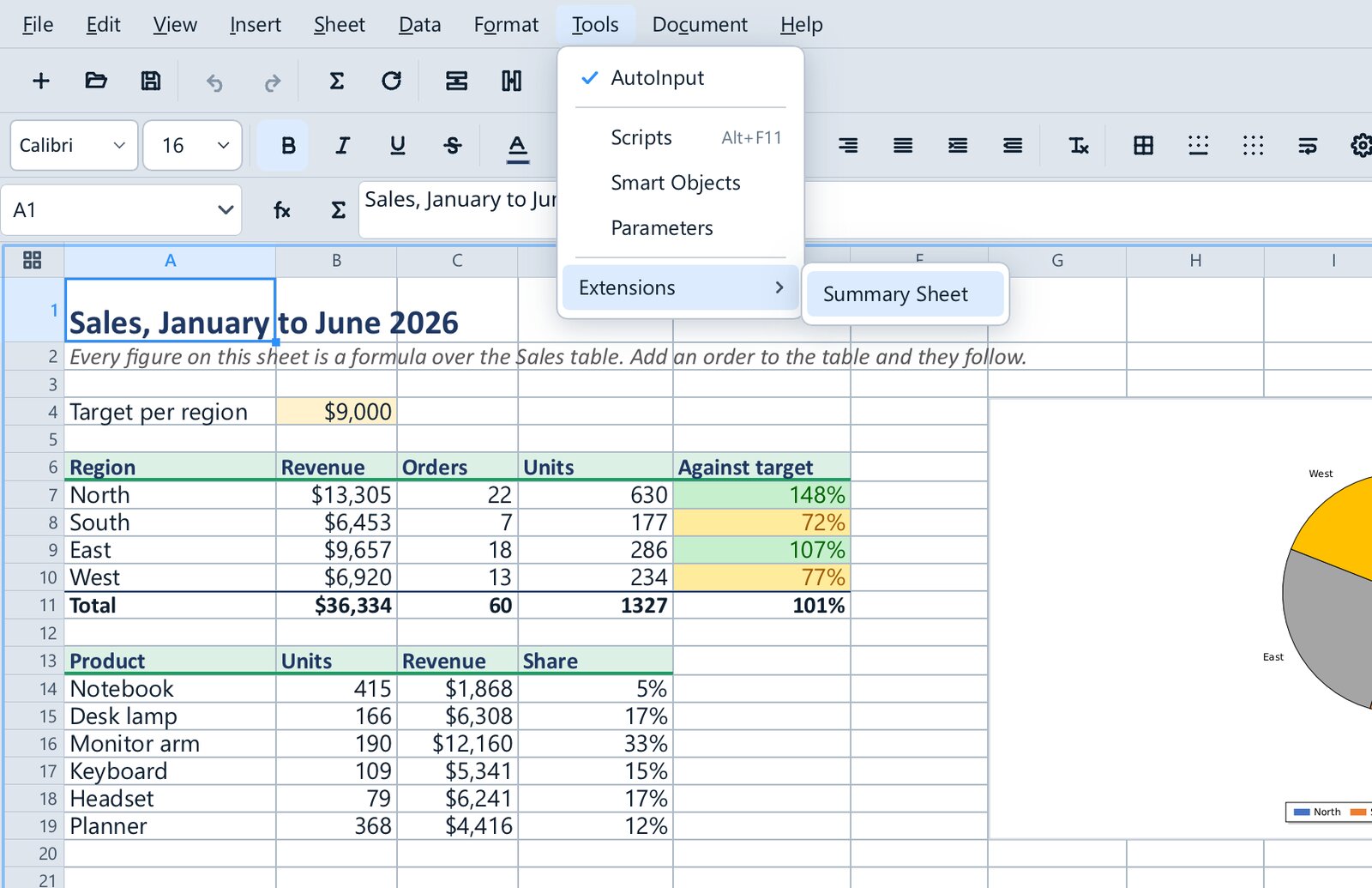
Formula's Tools menu open at Extensions, offering the Summary Sheet command.
Extensions

Install once, use it in every document.

An extension packs Commands, functions and script libraries into one file. Install it from the Start Centre.

  • Commands appear on each app's Tools ▸ Extensions menu.
  • Formula functions get their own prefix, such as =TOOLS.SPELLNUMBER(1234.5).
  • Script libraries load with require in Lua and #load in C#.
  • Before you install an extension, you see which websites it can reach.
Extensions
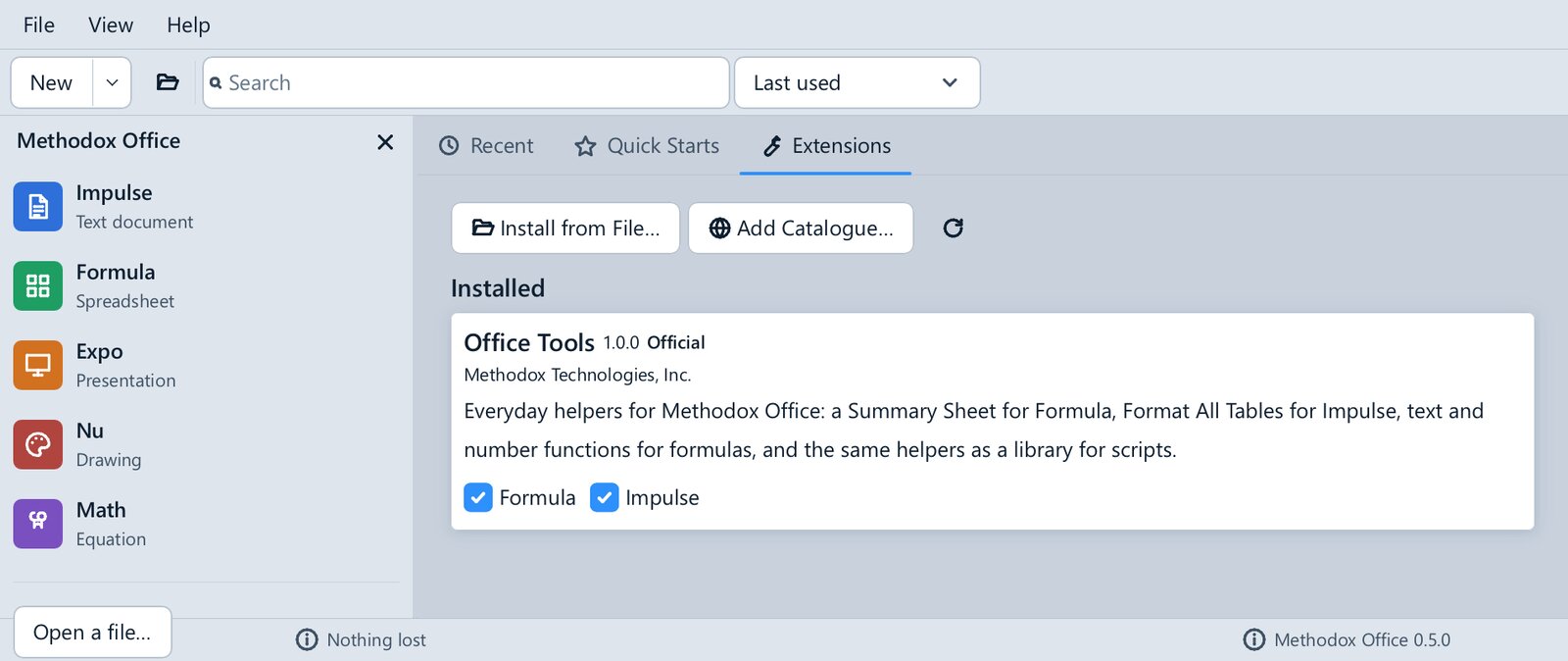
The Start Centre's Extensions page, with the official Office Tools extension installed and enabled for Formula and Impulse.
Trust

Safe to open.

A smart document carries code. You decide when it runs and what it reaches.

Nothing runs when you open it.

A document's code waits until you choose Enable. Hover over the message bar to see what it carries.

Your choice is remembered.

Open the same document again and it opens without asking. If one character of its code changes, Methodox Office asks again.

Access is per document.

A document asks once before it reaches each website, file or database.

The suite

An app for each kind of work.

Six apps for documents, spreadsheets, slides, diagrams, equations and photos.

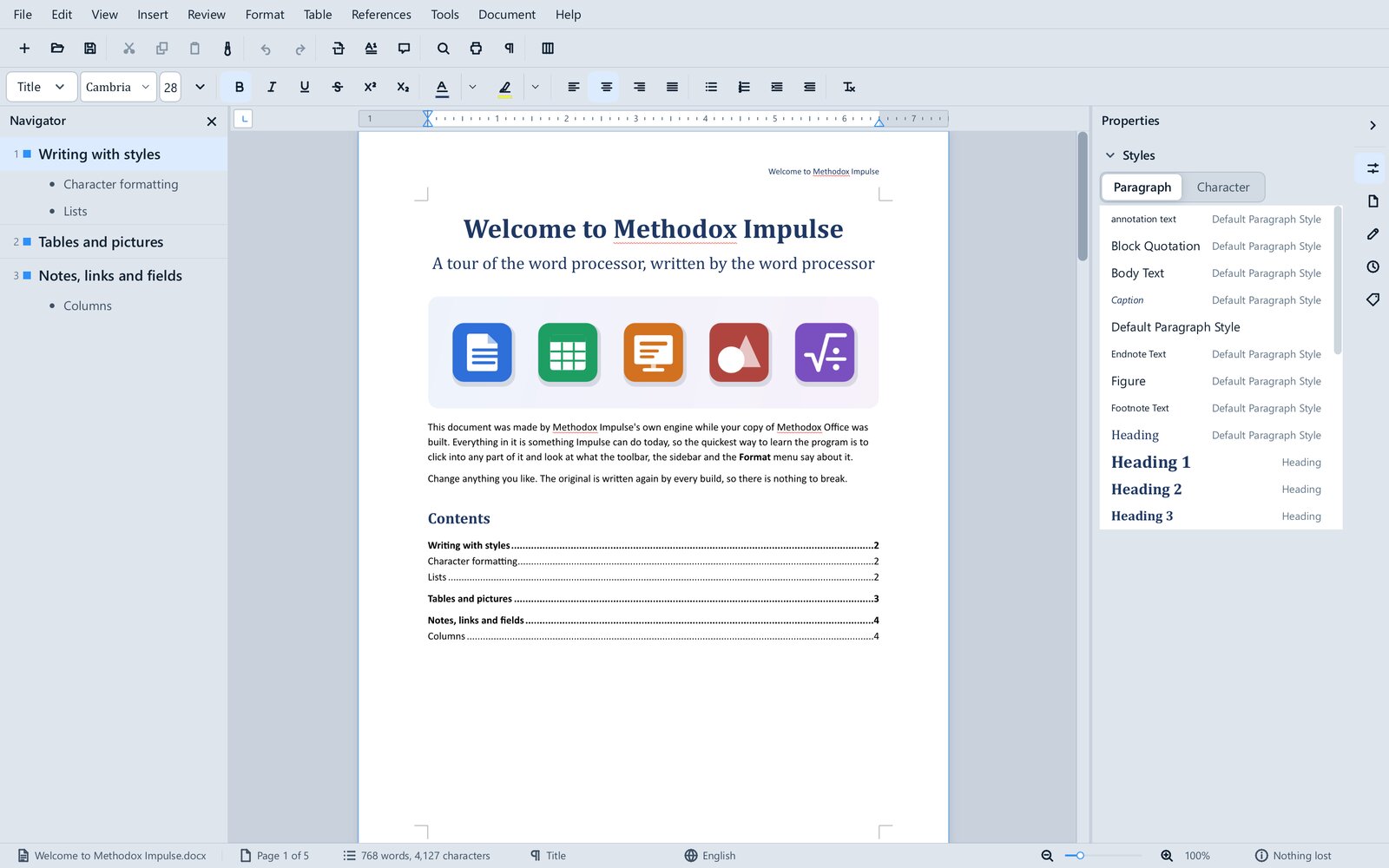
Methodox Impulse showing its welcome document.

Impulse

Documents

A word processor that uses Word documents as its own format.

  • Tracked changes, comments, footnotes and charts.
  • Opens .docx, .doc, .rtf, .odt, HTML and Markdown.
  • Smart Objects and Data Sources.
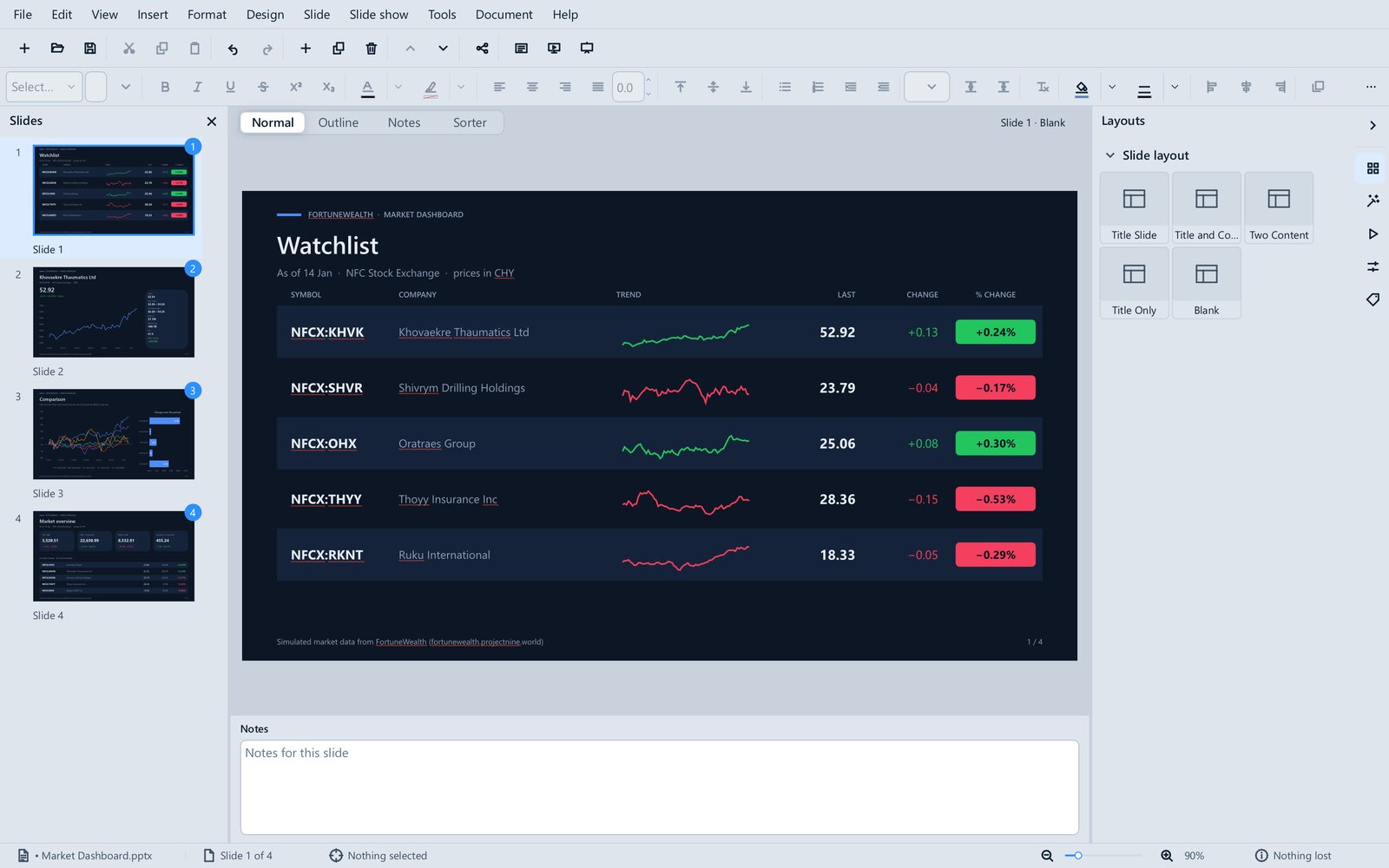
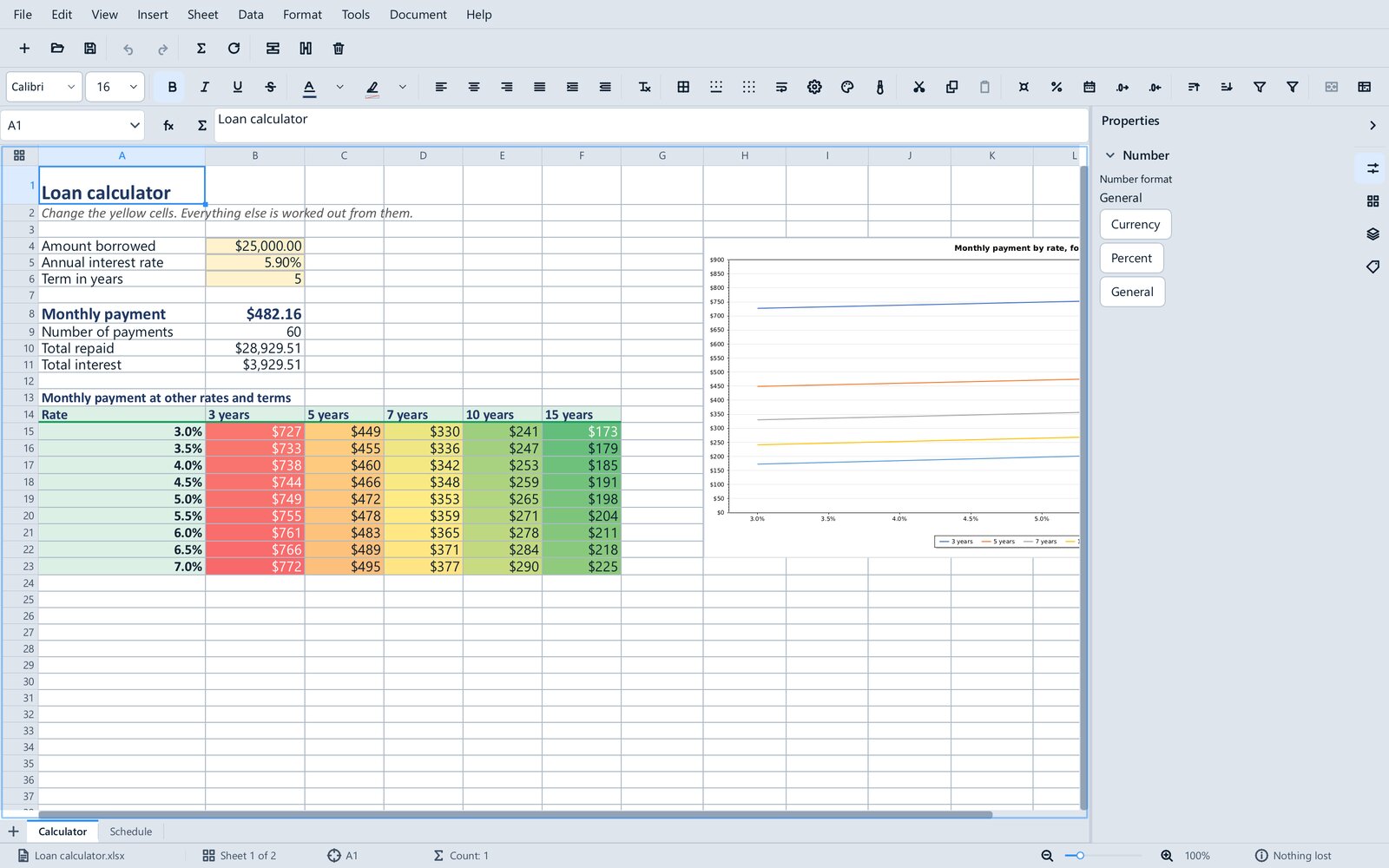
Methodox Formula showing a loan calculator with conditional formatting and a chart.

Formula

Spreadsheets

A spreadsheet that uses Excel workbooks as its own format.

  • 463 functions and spilling dynamic arrays.
  • Pivot tables, filters, cell styles and charts.
  • SQL Workbench and live Data Sources.
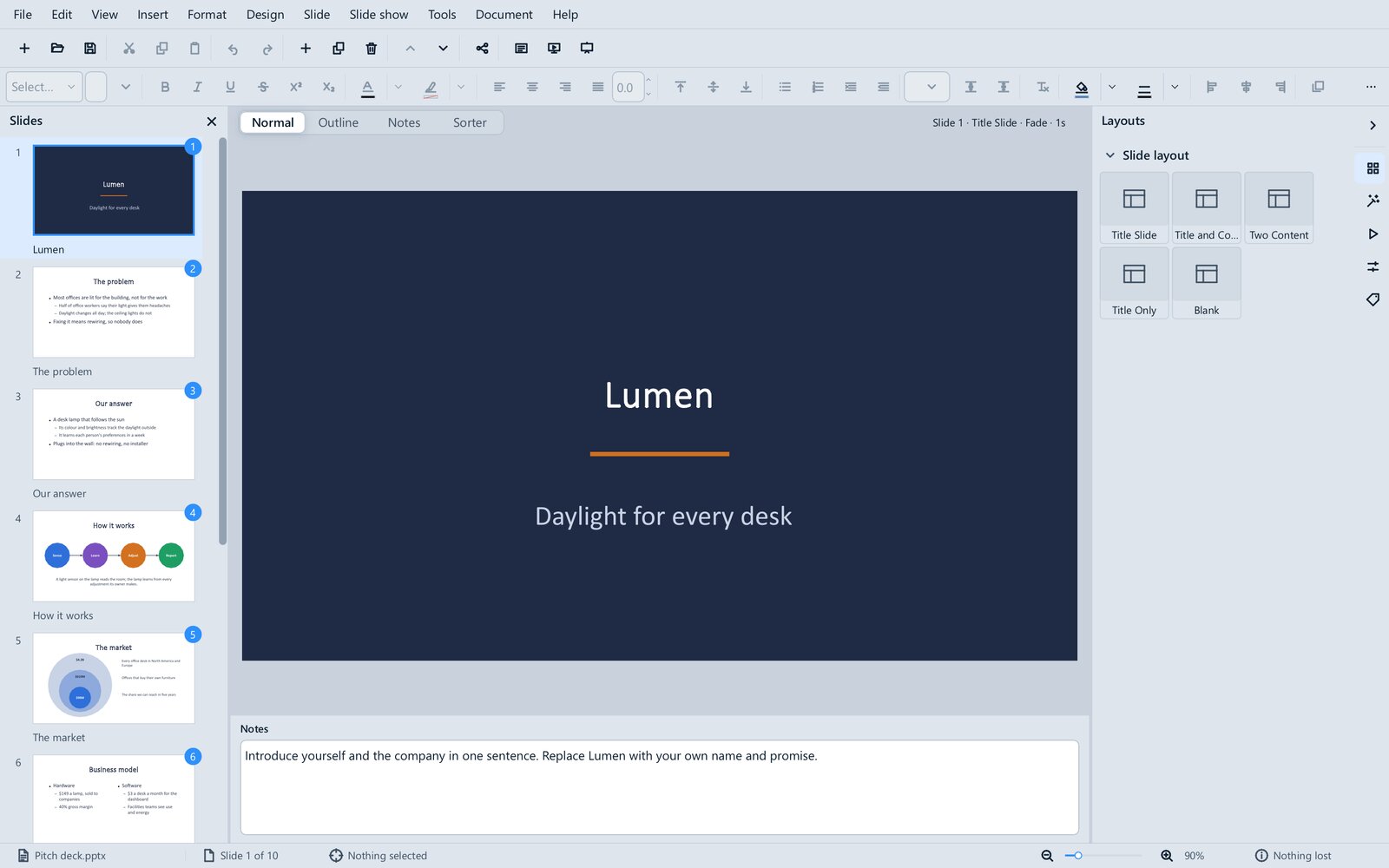
Methodox Expo showing the title slide of a pitch deck.

Expo

Presentations

A presentation app that uses PowerPoint decks as its own format.

  • Rich text in every text box.
  • PowerPoint's transitions and animations, Morph included.
  • Live values, tables and pictures on slides.
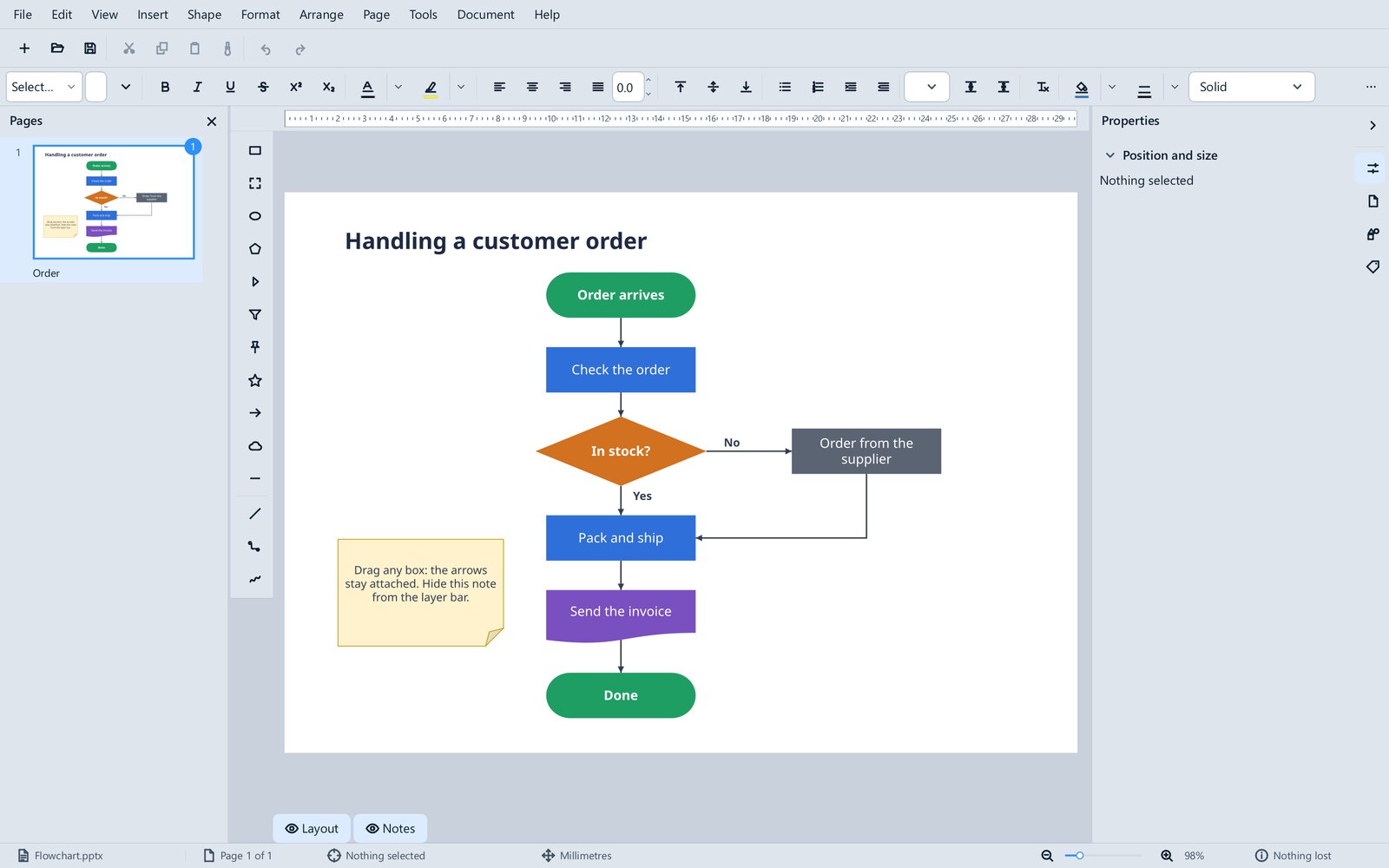
Methodox Nu showing a flowchart for handling a customer order.

Nu

Drawings and diagrams

A diagram editor with shapes, connectors that stay attached, layers and pages.

  • Opens and saves draw.io diagrams.
  • Opens Visio and LibreOffice Draw files.
  • Scripts that generate drawings too repetitive to draw by hand.
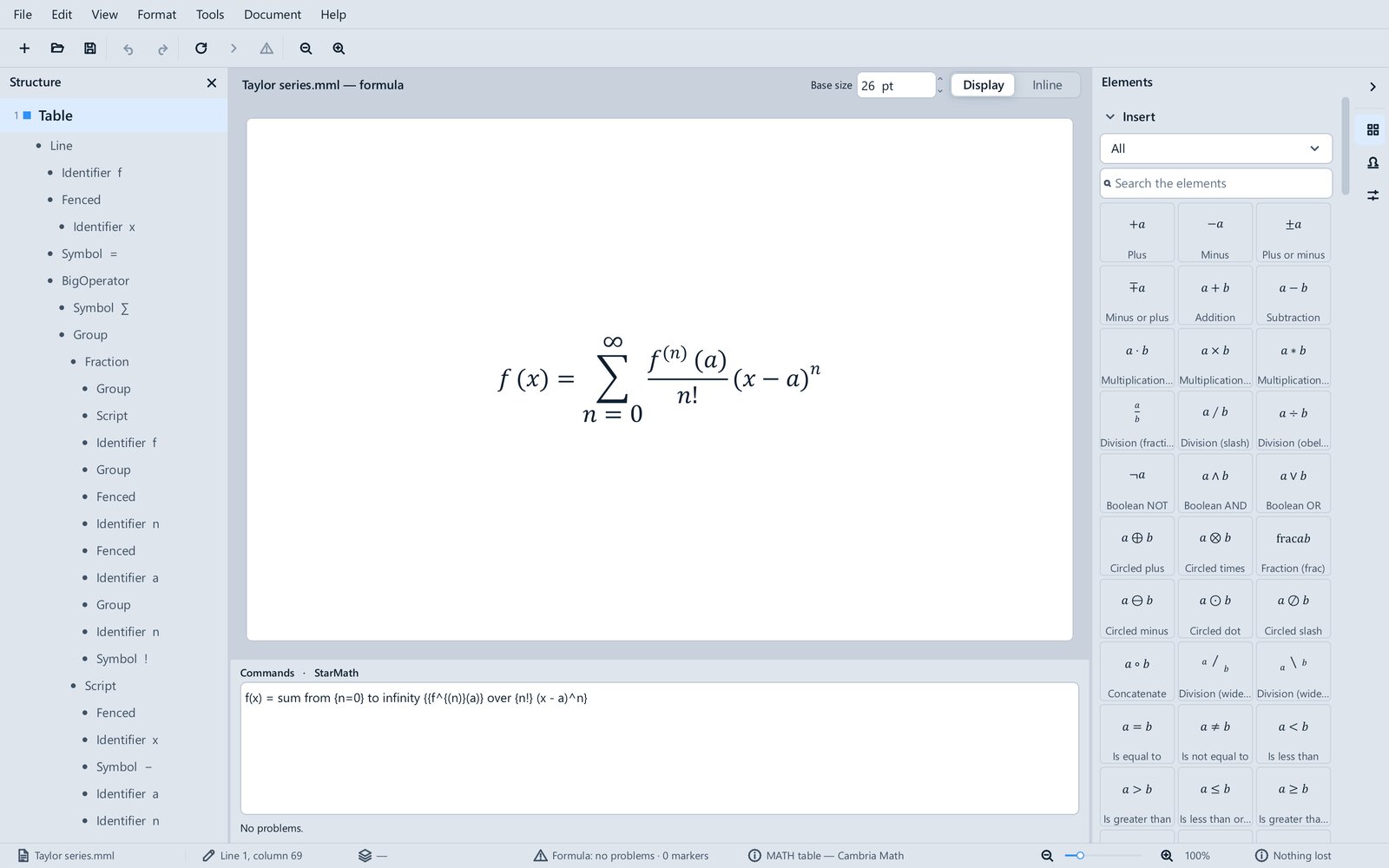
Methodox Office Math showing a Taylor series, its commands below and the Elements deck beside it.

Math

Equations

Type an equation on one line. Math typesets it as you go.

  • Uses LibreOffice Math's StarMath language.
  • Symbols and Elements panels to insert from.
  • Saves MathML; exports PDF and pictures.
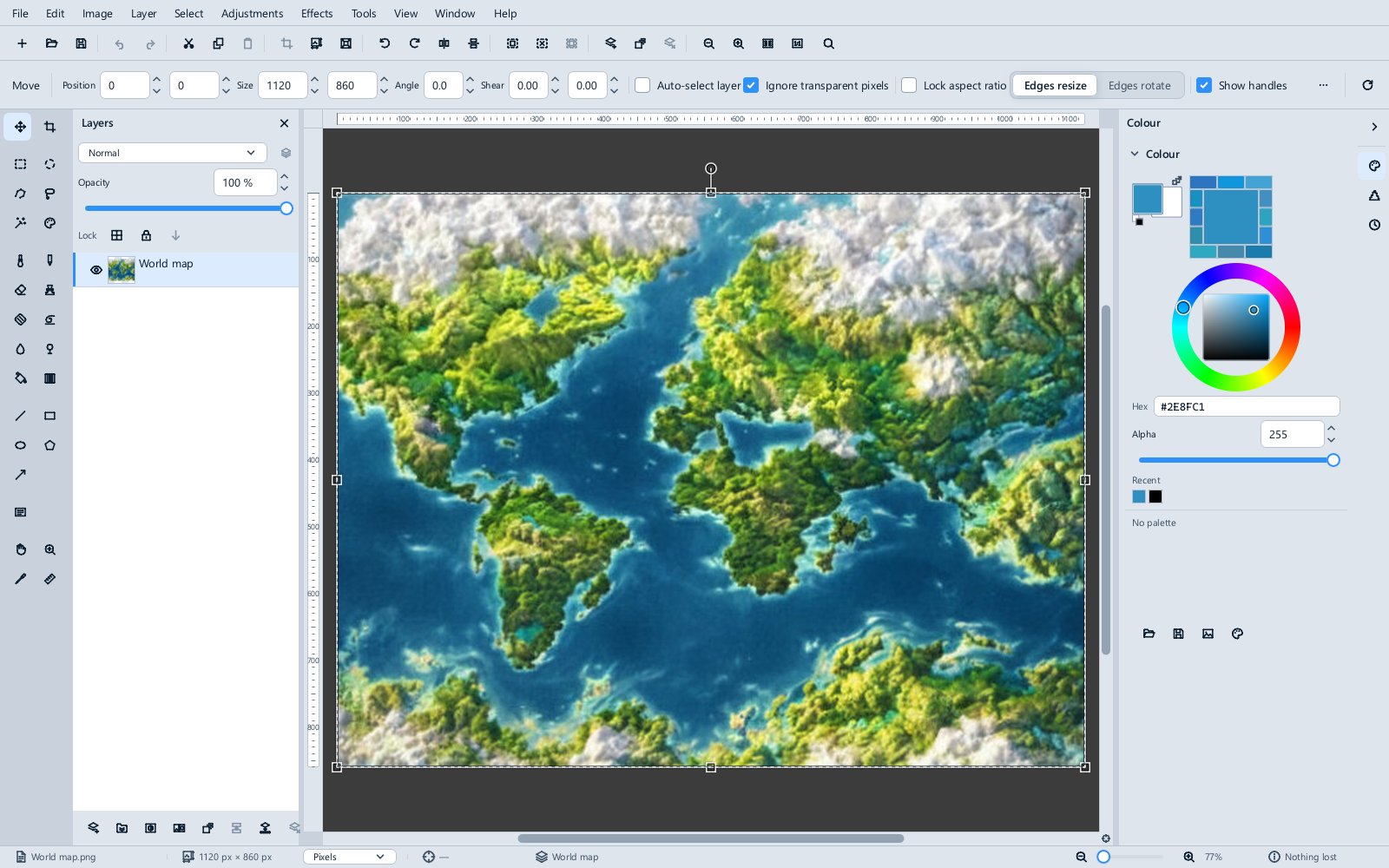
Methodox Curfew editing a picture of a world map, with its tools on the left and the colour panel on the right.

Curfew New

Photos

A layered photo editor.

  • Layers, masks, selections and painting tools.
  • Adjustments and effects with a live preview.
  • Opens PSD, XCF, OpenRaster and Paint.NET files.

The Start Centre ties them together.

Open any app, a recent document, a Quick Start or an extension from one window. On the command line, mos does the same, and can also convert documents without opening a window.

The Start Centre
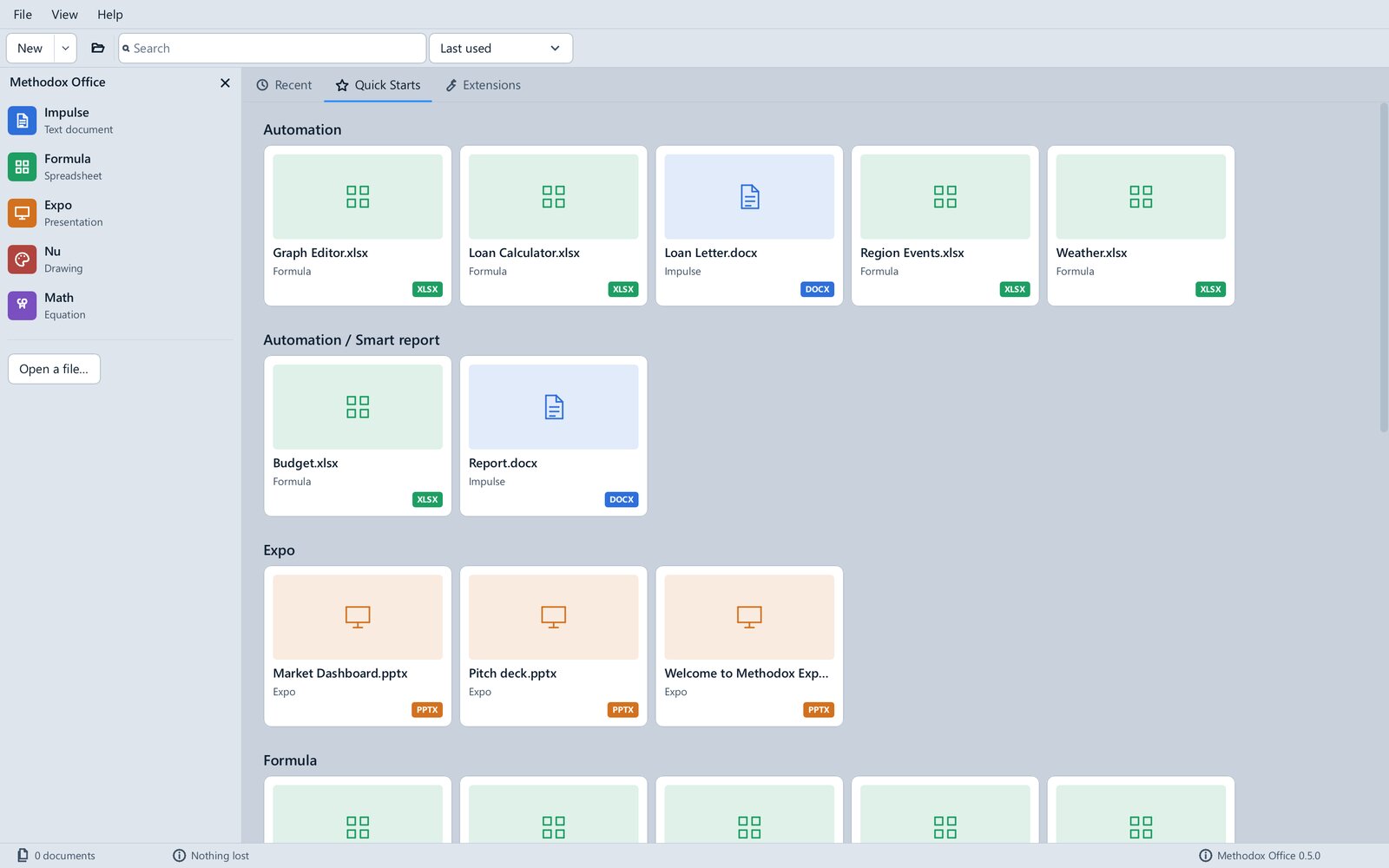
The Start Centre's Quick Starts page, with example documents grouped by app.
Compatibility

Open the files you already have.

Methodox Office works in Word, Excel and PowerPoint files directly, without importing or converting them. Anything it doesn't edit is saved back exactly as it was. The status bar shows “Nothing lost”, or lists anything that wasn't kept.

Documents.docx .doc .rtf .odt .html .md
Spreadsheets.xlsx .xlsm .csv
Presentations.pptx
Diagrams.drawio .vsdx .odg .svg
Equations.mml .smf

Supported file formats

Editions

Two editions, one set of apps.

They differ only in what a document's code may use once you trust it.

Standard

Methodox Office

  • Lua and C# scripts that work with your documents through Methodox Office.
  • Divooka graphs built from Methodox Office's reviewed nodes and Divooka's standard routines.
  • Python with computing modules only.
  • Websites and files only through Methodox Office, with your permission for each document.

Compute

Methodox Office + Divooka Compute

  • Everything in Standard.
  • Graphs can also use Divooka packages installed alongside Methodox Office, with full access to your computer.
  • Full Python, with your own environment and pip packages.

Compute is a separate build of Methodox Office. Neither build includes the Divooka Compute app; to open a graph in it, Methodox Office uses the copy you have installed. Compare the editions

Try it on your own files.

Methodox Office runs on Windows. By default it installs just for you, without administrator rights.